Shopify Store Maintenance: A Practical Routine for Small Stores
Shopify store maintenance is the steady, repeatable work of checking that your listings, images, links, stock counts, apps and checkout still do what they should. Shopify runs the servers. You still own everything a customer sees and clicks. A small store can cover the essentials in a few hours a month if the routine is clear. This guide gives you that routine, explains each technical term in plain words, and shows what to hand off.
TL;DR
- Shopify handles hosting and platform security. You handle listings, apps, themes, speed, stock and links.
- Check a few things daily (orders, stock), more weekly (broken links, recent edits), and run a deeper audit about twice a year.
- Most store problems come from small leaks: a typo, a broken image, an app that slows pages, a product that sold out and still shows as available.
- Doing it yourself works. So does a done-for-you service: ShelfSparrow’s audit is $297 one-time, and ongoing watching is $29/month.
Table of Contents
- What Shopify store maintenance actually covers
- How much time does maintenance take?
- A maintenance routine you can keep
- The most common Shopify store problems
- Reading a store health report
- Shopify SEO errors on product listings
- Before you put your store in maintenance mode
- Doing it yourself vs. getting help
- Our perspective
- How ShelfSparrow handles maintenance for you
- A simple way to start this week
- FAQ
- Sources
What Shopify store maintenance actually covers
Think of two layers. Shopify owns the platform layer: servers, hosting and core security. Your layer is the store itself: themes, apps, performance, third-party scripts and the customer journey still need monitoring. Without a set rhythm, maintenance turns reactive. You fix things only after a customer complains or a sale disappears.
In practice, maintenance means:
- Listings: titles, descriptions, prices, variants (size or color options) and images are correct.
- Inventory: stock counts match reality, and low-stock items are flagged before they sell out.
- Links: nothing leads to a “page not found” screen (a 404 error).
- Speed: pages load fast on a phone.
- Apps and theme: add-ons are current and you still need them. The theme is the design template your store runs on.
- Search visibility: product pages can be found on Google.
- Checkout: a customer can actually pay.
Shopify’s own guidance draws a useful line. Maintenance covers routine tasks like installing updates and fixing broken links, while management adds planning improvements and measuring results. This article is about the first part: keeping what you built in good shape.
How much time does maintenance take?
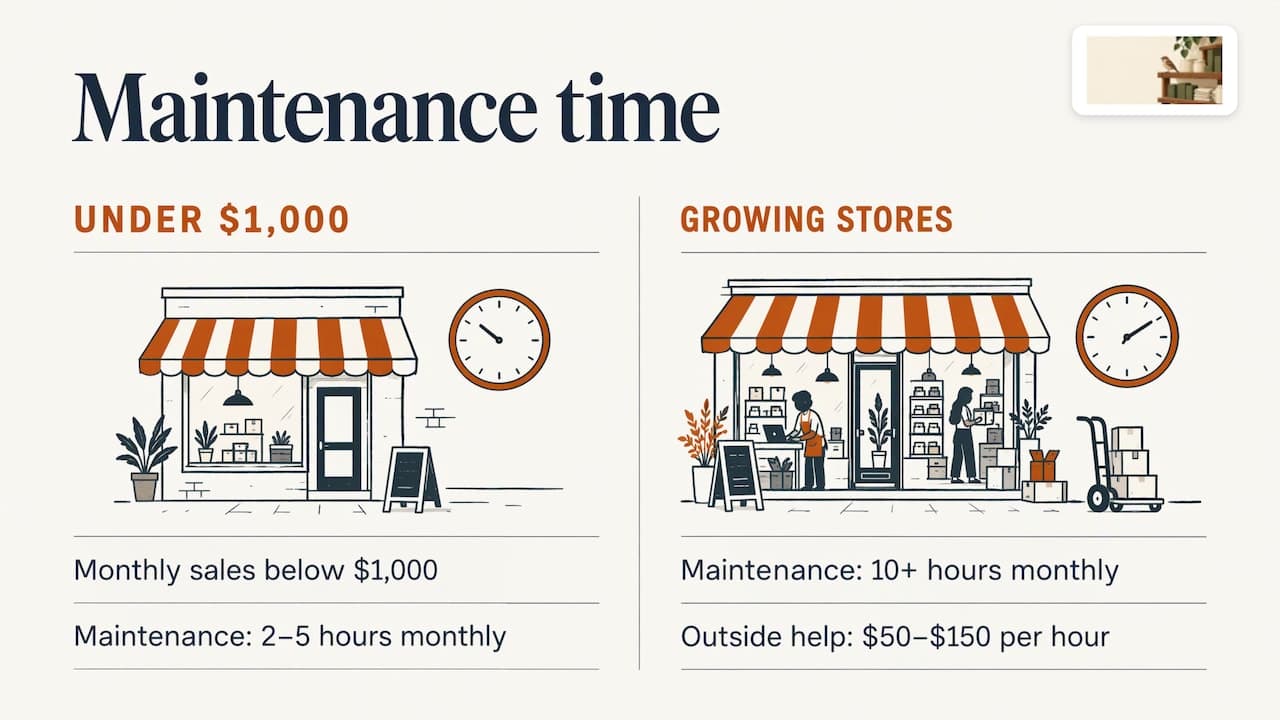
Omnisend, an email marketing company, estimates that a store under $1,000 in monthly sales spends roughly two to five hours a month on maintenance. Growing stores may need 10 hours or more, or outside help at $50 to $150 an hour. Treat those as ballpark figures, not rules. A store with 30 products and few apps needs far less than one with 800 products and 15 apps.
The bigger risk is not the hours. It is that the work is boring, easy to skip and invisible until it costs you a sale.
A maintenance routine you can keep
The schedule below blends the cadences in Shopify’s website-management guide with the small-store reality: you have limited time. Pick the tasks that fit your store and stick to them.
Daily (five minutes)
- Glance at new orders for anything odd: suspicious orders, failed payments, a sudden jump or drop in sales or traffic.
- Check that products on busy pages and active promotions are actually available.
- Read your security alerts.
Weekly (30 to 60 minutes)
- Scan for broken links.
- Re-check products you edited recently: price, description, delivery promise.
- Walk through your store on your phone like a customer: find a product, add it to the cart, start checkout.
- Compare stock counts with what you physically have.
Monthly (one to two hours)
- Review speed (more on that below).
- Check whether your theme has an update waiting.
- Review the permissions each app has, and remove apps you no longer use.
- Confirm that scheduled backups are running.
- Place a test order after changing any payment setting.
Quarterly and twice a year
- Review accessibility (can people with screen readers or low vision use the store?).
- Check search indexing and internal links. Indexing means Google has saved your pages so they can show up in results.
- Refresh policies such as shipping and returns.
- Audit who has access to your admin and remove old accounts.
- Run a full store audit. Shopify suggests a comprehensive site audit at least every six months.
The whole routine is a sensible target, not a punishment. If you can only do one thing, do the weekly walkthrough on your phone. It catches more than any dashboard.
The most common Shopify store problems
Most problems fall into a handful of buckets. Here is how to spot and fix each.
Slow pages
Test from different devices and connections, and run your pages through Google’s PageSpeed Insights (a free tool that scores how fast a page loads). Then look for the usual suspects: too many apps, oversized images and slow scripts. Shopify’s help center advises removing unneeded apps, optimizing images and evaluating theme performance. One catch from the same page: uninstalling an app does not automatically remove its code from your theme, so leftovers can keep slowing you down.
Shopify’s web performance reports show real customer experience by device, page address and page type. They use three measures called Core Web Vitals:
| Measure | Plain meaning | Good result |
|---|---|---|
| Largest Contentful Paint (LCP) | How fast the main content appears | 2.5 seconds or less |
| Interaction to Next Paint (INP) | How fast the page reacts when someone taps | 200 milliseconds or less |
| Cumulative Layout Shift (CLS) | How much the page jumps around while loading | 0.1 or less |
Those thresholds are assessed at the 75th percentile of visits, meaning three out of four visits should meet them, with mobile and desktop checked separately.
“My store looks down” during a big sale
During high-traffic events, outside monitoring tools can report your store as slow or down even when real customers are shopping fine. Shopify prioritizes real customer traffic over bot traffic at peak times. Before you panic, try buying something yourself.
Broken links and missing pages
Products get retired, handles (the last part of a product’s web address) get renamed, and old links start returning 404 errors. The fix is a redirect, which sends visitors from the old address to a new one. Shopify’s SEO overview notes you can set up 301 redirects (the permanent kind) when you move or discontinue products. Send a retired product to the closest matching product or collection, not to the home page.
Stock that does not match reality
Overselling is the leak owners dread most. It happens when counts are updated by hand, when you sell on more than one channel, or when a variant is missed. Weekly count checks help. So do low-stock alerts, so you reorder before an item vanishes from your best-selling page.
App conflicts and leftover code
Two apps that change the same part of a page can break layouts or slow checkout. Add apps one at a time, check your store afterward, and delete what you stopped using.
Reading a store health report
Shopify’s admin includes a store health area. One third-party guide describes it as surfacing deprecation warnings, app conflicts and payment gateway issues. A deprecation warning means a feature your store uses is being phased out and will eventually stop working. Menus can vary by plan and change over time, so look in your admin settings for the current location.
Whatever report you use, a good one answers three questions in plain English:
- What is broken right now?
- What will hurt me soonest if I ignore it?
- What is the smallest fix?
If a report gives you 200 lines and no order of priority, it is a to-do list nobody finishes. Ask for fixes ranked by impact.
Shopify SEO errors on product listings
Good news first: Shopify generates sitemaps and structured data automatically. A sitemap is a list of your pages for search engines. Structured data is hidden labeling that tells Google “this is a product, this is its price.” Shopify also adds canonical tags by default, which prevent duplicate content showing in search. That leaves the parts only you can do:
- Title tags: the headline shown in search results. Make each unique and specific, with the product name and a key detail.
- Meta descriptions: the short text under that headline. Write one per product, not a copy of the same sentence.
- URLs: keep them short and readable.
- Images: descriptive file names and alt text (a text description of the image for search engines and screen readers).
- Typos and thin copy: small errors cost trust and clicks.
- Dead links and missing redirects: covered above.
You can watch how Google sees your store in Google Search Console, a free tool that shows which pages are indexed and what errors it found. Selling on Etsy too? Our Etsy listing SEO checklist covers the same idea for that marketplace.
Before you put your store in maintenance mode
Sometimes you do need to close the doors for a redesign or big catalog change. Shopify calls this private mode: all pages are hidden from visitors and search engines, and a password landing page appears instead. Before you switch it on:
- Know the search impact. Because pages are hidden from search engines too, keep the closure as short as possible.
- Build and test off to the side. Work in a duplicate of your theme when you can, and only publish when it is ready.
- Plan who needs access. Share the password with your team and testers.
- Tell customers. Customize the landing page with a return time and a contact email, and warn email subscribers first.
- Test after reopening. Run a full test order and your phone walkthrough.
For many tweaks you do not need to close at all. Edit a copy of the theme, preview it, then publish.
Doing it yourself vs. getting help
The field is crowded, and different providers solve different problems. Here is an honest map of what small sellers run into.
| Option | What it does | Price as we know it |
|---|---|---|
| ShelfSparrow | Done-for-you audit and ongoing watching | $297 one-time audit, $29/month ongoing |
| Lydia | AI store management for Shopify and Etsy, audits across 9 categories | $497 one-time audit with a report in 48 hours, then $1,997/month |
| Speechify Boost | Audits products and drafts fixes (titles, copy, photos, meta) for you to approve, plus a weekly digest | See provider |
| OptraSeven | Shopify CRO agency with a deep audit | $149 as a founding offer against a $297 regular price |
| Focused Developer | Shopify audit, report in 5 business days, money back if fewer than 5 fixes are found | €150 |
| Upwork and Fiverr freelancers | Mostly report-only audits, no monthly watch | $35 to $1,299 |
| CRO agencies | Tactical audits (CRO means conversion rate optimization: getting more visitors to buy) | $1,500 to $3,000 or more |
A few notes on reading this table:
- Lydia is the closest branded rival. ShelfSparrow’s audit is $297 against Lydia’s $497, and our ongoing $29/month sits against $1,997/month.
- Speechify Boost drafts fixes and waits for your approval. ShelfSparrow fixes issues on the spot, so you do not have a queue of approvals waiting on you.
- OptraSeven targets brands doing $200k to $5M a year and has no $29/month watchdog offering. It is a different lane from a small shop.
- Focused Developer is a one-off audit with a report, so the fixing and the follow-up remain yours.
- Freelancers vary widely in quality and price, and most hand over a report and move on. Nobody keeps watching afterward.
You may also meet Prediko, Sellbrite and StoreClaw while shopping around. They sit in the wider space of store and inventory tools, and are worth knowing by name. The question to ask of any option is the same: who actually makes the fix, and who keeps checking next week?
Our perspective
Most store owners do not need another dashboard. They need the typo fixed, the broken image replaced and a heads-up before a bestseller runs out.
That is why we built ShelfSparrow as a done-for-you service, not software. We keep a steady eye on your listings and inventory all day and night, correct routine errors automatically, and send one plain daily summary so you know where things stand.
Small problems are cheap to fix and expensive to ignore. A sloppy title or a missing image quietly sends shoppers to the cleaner store next to yours. A little order, all day long, is what keeps that from happening.
Francis
How ShelfSparrow handles maintenance for you
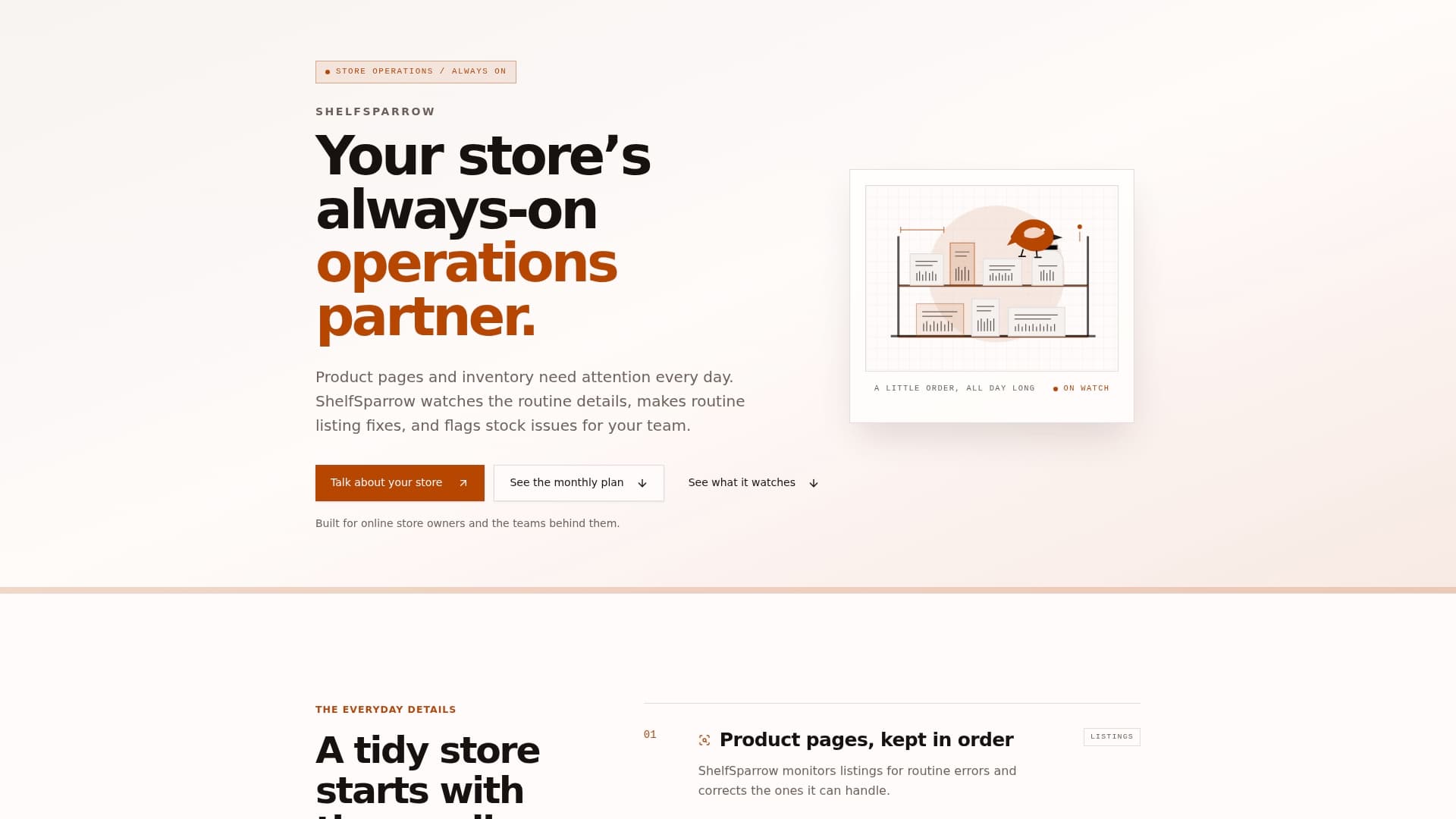
ShelfSparrow is a done-for-you store auditing service, not software. You do not learn a new tool. We look at your listings, fix what is broken and keep watching.
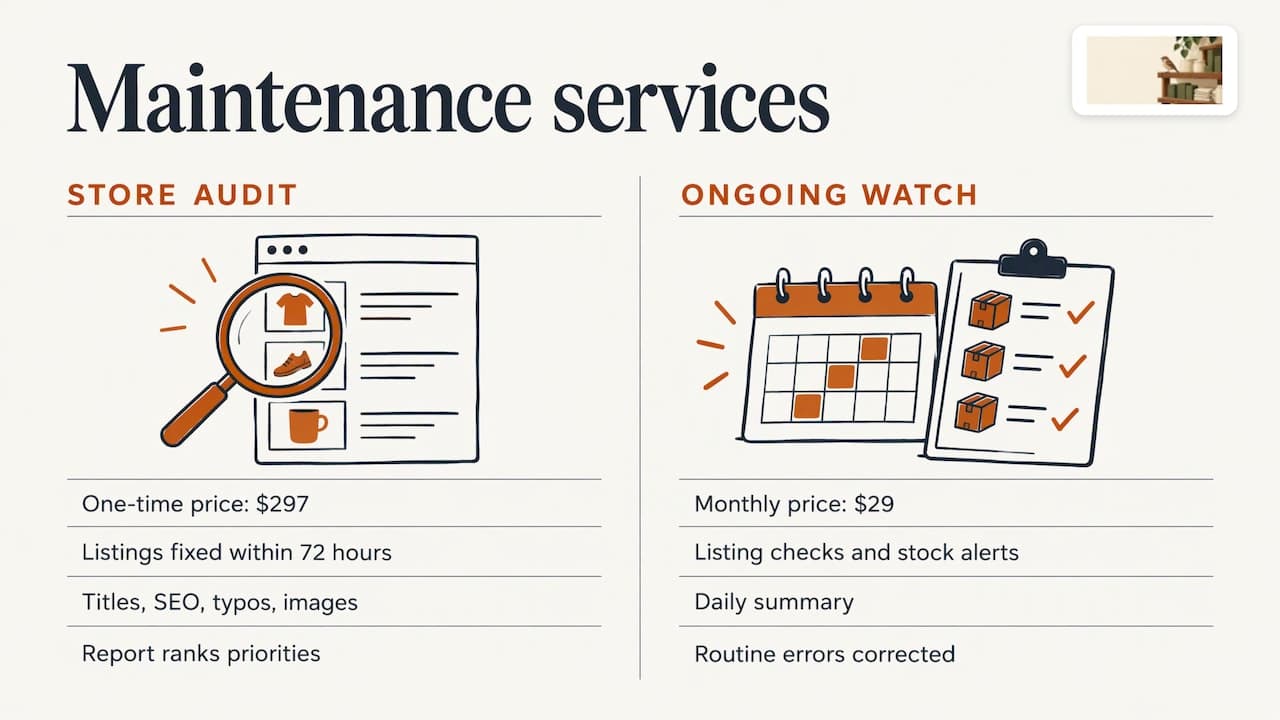
Store audit, $297 one-time. We go through your listings covering titles, SEO, typos and broken images, and fix them within 72 hours. You get a plain-English report that ranks what matters most.
Ongoing watch, $29/month. Listing checks, stock alerts and a daily summary. Routine errors are corrected for you, and low-stock situations are flagged so you can reorder in time.
We work with Shopify and Etsy stores, and we audit any online store or marketplace, including Amazon, Walmart, eBay and WooCommerce. If you sell in more than one place, the same checks apply everywhere.
Order a store audit or see how ShelfSparrow works.
A simple way to start this week
You do not need to overhaul anything. Try this order:
- Do the phone walkthrough today. Write down everything that feels off.
- Compare your top 10 products’ stock counts with your shelves.
- Uninstall one app you no longer use.
- Run your best-selling product page through PageSpeed Insights.
- Put a recurring weekly slot in your calendar, or hand the routine to us.
By next month you will have a short list of real problems rather than a vague worry.
FAQ
How often should I maintain my Shopify store?
Do quick checks daily (orders and availability), a broader pass weekly (links, recent edits, a phone walkthrough) and a deeper review monthly. Shopify suggests a full audit at least every six months. Smaller stores can keep the daily step to a few minutes.
Does Shopify take care of maintenance for me?
Shopify handles hosting and platform-level security. Your listings, apps, theme, images, links and stock counts are still yours to keep correct. That is where most visible problems start.
What are the most common Shopify store problems?
Slow pages from heavy images or too many apps, broken links after products change, stock counts that drift from reality, and typos or missing images in listings. Each is cheap to fix when caught early.
Will maintenance mode hurt my search rankings?
In Shopify’s private mode, pages are hidden from visitors and search engines while it is on. Keep it as short as you can, and test everything right after you reopen.
How much does it cost to have someone maintain my store?
It varies a lot. Freelance audits run $35 to $1,299 and agency audits $1,500 to $3,000 or more. With ShelfSparrow, the audit is $297 one-time and ongoing watching is $29/month.
Sources
- Shopify Help Center: Restrict access to your online store
- Shopify Help Center: Improving your online store’s performance
- Shopify Help Center: SEO overview
- Shopify: Website management guide
- Shopify: Site audit checklist
- Shopify: SEO management guide
- Omnisend: Shopify store maintenance guide
- Qstomy: E-commerce maintenance risks and best practices